
Photoshop for Wedding Photographers
One of the hottest trends in wedding photography is the storybook wedding album - taking photographs and turning them into eye-catching collages and artistic images. Join Scott Kelby, best-selling author and editor of Photoshop User magazine, as he reveals the secrets to creating amazing images that you can reuse over and over again by creating templates.
Approximate Run Time: 101 minute
Wednesday, July 16, 2008
Photoshop for Wedding Photographers Video Tutorial


Tuesday, July 15, 2008
Unable to open PSD files in Photoshop
Due to the fact that the layer is locked so you have to look at your layers which is an eye, if it has a red line across click on it. Now that the PSD file is lock that is why you see only a blank sheet. You must unlock your layers on your right if you are using photoshop. You have to click in the square underneath at the left of your image in your layer palette.
In fact the problem was that the layers were invisible when you opened the file and after you ticked to make them visible, you could now see all the layers and thus the whole picture was displayed.
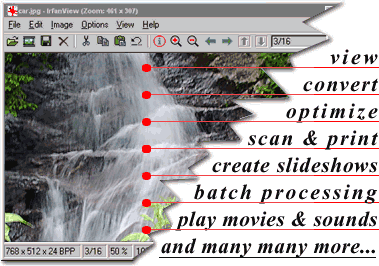
PSD Viewer Free Download IrfanView
IrfanView is a very fast, small, compact and innovative FREEWARE (for non-commercial use) graphic viewer for Windows 9x/ME/NT/2000/XP/2003/Vista.
It is trying to be simple for beginners and powerful for professionals.
IrfanView is trying to create new and/or interesting features in its own way, unlike some other graphic viewers, whose whole "creativity" is based on feature cloning, stealing of ideas and whole dialogs from ACDSee and/or IrfanView! (for example: XnView has been stealing/cloning features and whole dialogs from IrfanView, for 7+ years).
IrfanView was the first Windows graphic viewer WORLDWIDE with Multiple (animated) GIF support.
One of the first graphic viewers WORLDWIDE with Multipage TIF support.
The first graphic viewer WORLDWIDE with Multiple ICO support.
Some IrfanView features:
* Many supported file formats (click here the list of formats)
* Multi language support
* Thumbnail/preview option
* Paint option - to draw lines, circles, arrows, straighten image etc.
* Toolbar skins option
* Slideshow (save slideshow as EXE/SCR or burn it to CD)
* Show EXIF/IPTC/Comment text in Slideshow/Fullscreen etc.
* Support for Adobe Photoshop Filters
* Fast directory view (moving through directory)
* Batch conversion (with image processing)
* Multipage TIF editing
* File search
* Email option
* Multimedia player
* Print option
* Support for embedded color profiles in JPG/TIF
* Change color depth
* Scan (batch scan) support
* Cut/crop
* IPTC editing
* Effects (Sharpen, Blur, Adobe 8BF, Filter Factory, Filters Unlimited, etc.)
* Capturing
* Extract icons from EXE/DLL/ICLs
* Lossless JPG rotation
* Many hotkeys
* Many command line options
* Many PlugIns
* Only one EXE-File, no DLLs, no Shareware messages like "I Agree" or "Evaluation expired"
* No registry changes without user action/permission!
* and much much more
Recommended (fastest) download option: 
HOMEPAGE


Registry Medic
Registry Medic - Fix your registry & improve your PC's performance!
Over time, normal use of your system will leave your registry with errors and unused information that can cause even the most high tech systems to become sluggish and occasionally crash.
Without regular maintenance, your system registry can resemble a small data jungle, making it difficult for your computer to navigate and operate smoothly. Clean and organize your system with the newly updated Registry Medic.
Registry Medic will easily detect and remove system slowing errors such as: outdated file location entries, invalid software data, file extensions, and start menu data. Using a state of the art search engine this tool will point out and thoroughly repair registry problems for you. Also, conveniently set regular automatic scans, let Registry Medic worry about when next to clean your registry.
Protect your system: Registry Medic will eliminate Trojans and other harmful viruses which can use your registry to spread and damage your PC. Also set system restore points. Return your system to a set point in time, before damage or changes occurred.
New features available :
- Updated and more efficient Scan Engine!
- NEW REGISTRY COMPACT! Compact your registry.
- Let Registry Medic Scan for you or choose to manually scan!
- Restore your registry with a few simple clicks!
- New and updated list of Spyware and Malware immunizations!
- and much more!
Minimum Requirements:
• Windows 95/98/Me/NT/2000/XP
• Pentium class processor with 32 MB of RAM
• At least 10 MB of empty hard disk space
• Internet Explorer 4.0 or later
Download Registry Medic 5
Thursday, July 10, 2008
killVBS.vbs
The process belongs to the software wscript.exe by unknown.
Description: File killVBS.vbs is located in a not identifiable folder. The file size on Windows XP is 0 bytes.
The program has a visible window. killVBS.vbs is a file without information about the maker of this file. Note: File does not exist any longer. Program starts upon Windows startup (see Registry key: HKEY_LOCAL_MACHINE\SOFTWARE\Microsoft\Windows NT\CurrentVersion\Winlogon\Userinit). It is not a Windows core file. Therefore the technical security rating is 26% dangerous.
Important: Some malware camouflage themselves as killVBS.vbs, particularly if they are located in c:\windows or c:\windows\system32 folder. Thus check the killVBS.vbs process on your pc whether it is pest. We recommend Security Task Manager
Removing killVBS.vbs:
This virus launches out automatically to each time you open or explore a partition or a removable disk, it is thus preferable to download this patch and to decompress it on the desktop, to start your machine in safe mode and of launching the patch, always in safe mode.(Utilise KillVbs-Remover.)
Resolving killVBS.vbs missing file:
After removing killVBS.vbs with an antivirus program you get the following alert when you reboot window:(Utilise KillVbs-Remover.)
KillVbs-Remover
Security Task Manager
Security Task Manager displays detailed information about all running processes (applications, DLL's, BHO's and services). For each Windows process, it improves on Windows Task Manager, providing:
* file name and directory path
* security risk rating
* description
* start time
* CPU usage graph
* embedded hidden functions (e.g. keyboard monitoring, browser supervision or manipulation)
* process type (e.g. visible window, systray program, DLL, IE-plugin, startup service)
The Security Task Manager recognizes also rootkits, virtual driver software, services, BHO and other processes hidden from the Windows task manager.
SpyProtector kill Windows processes, find trojans and keylogger The processes shown in picture above are deemed to be dangerous. After removing them with Security Task Manager, Start Regedit-[Click Start at bottom left desktop for Run and type regedit to press Enter.] to find the respective registry remnant to delete in the registry.
With the full version, you also receive this additional software for protecting your computer and Internet privacy:
* prevents keyboard and mouse monitoring
That stops keylogger or other hacker tools
* warns when registry is changed
That protects you from Trojans that surreptitiously add an autostart key
* eliminates the traces of your internet activity
e.g. cookies, cache, history, typed URLs and temporary files
* eliminates the traces of your work on computer
e.g. recent used file list of programs (Word, ACDSee, PDF, WinZip, Media player)
System requirements
* Windows Vista, XP, 2000, 2003, NT, ME, 95, 98
* On Windows Vista, program's help file needs Microsoft WinHlp32
* 2 MB free disk space
Download Security Task Manager.v1.7
Related Post:
Advanced Task Manager
Power Process Controller
Subscribe to:
Posts (Atom)
